Features
Everything a drawing set needs, in one quiet window.
Reading, searching, layers, markup, printing and forms are free, with no watermarks, ads or limits. Page tools and calibrated measuring are Premium, bought once.
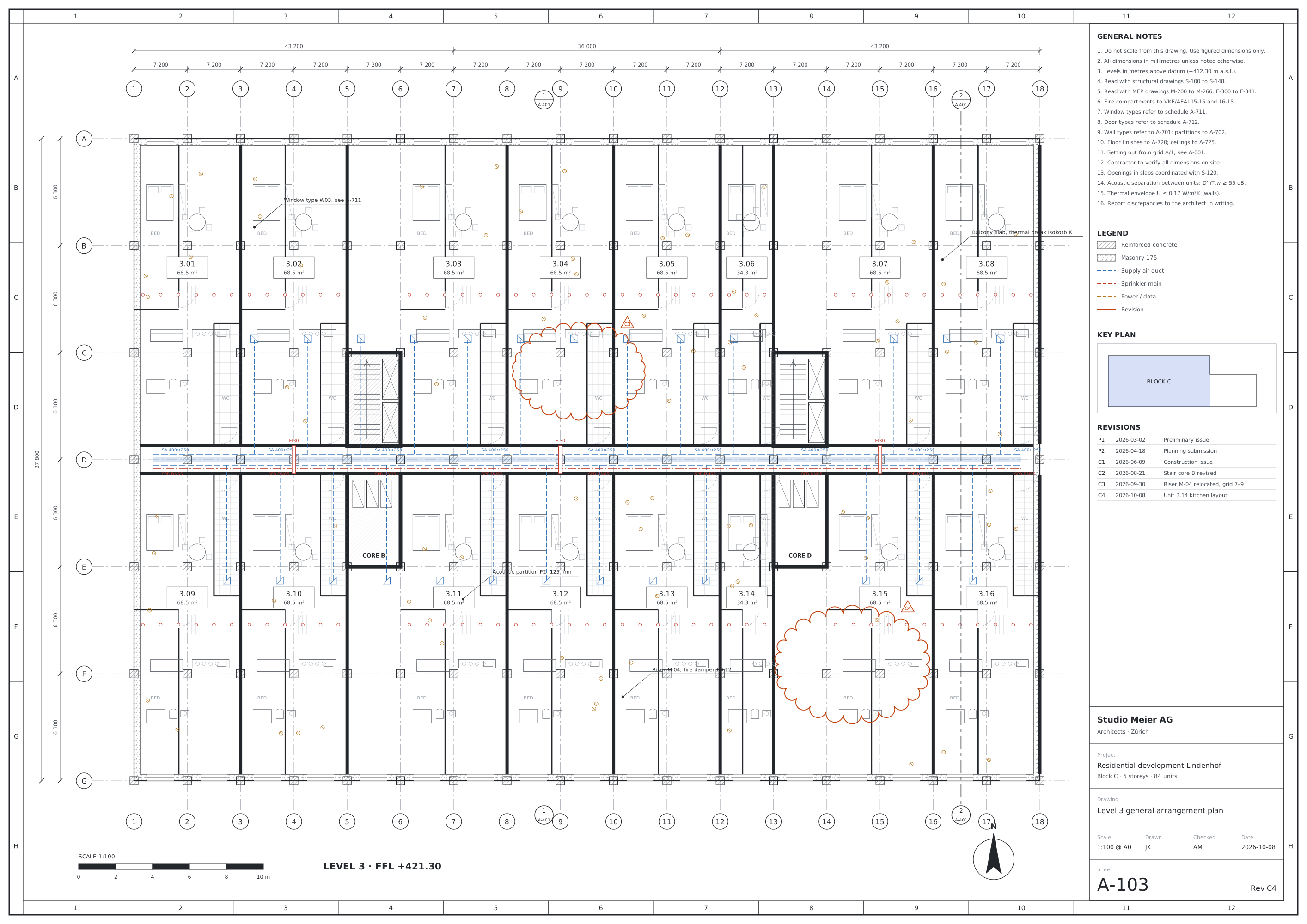 Lindenhof Block C – Construction issue.pdf
01
Viewing and navigation
Open large sets, move through them by sheet number, and keep several documents side by side.
| Feature | What it does | Tier |
|---|---|---|
| Sharp at every zoom | Pages render in tiles and sharpen in place, from the whole sheet to a 1:20 detail. | Free |
| Page labels | Go to a sheet by its label, such as A-101, not by page number. | Free |
| Tabs and windows | Keep a plan and its sections open together, in tabs or in separate windows. | Free |
| Links | Follow links inside the set, from a callout to its detail sheet. | Free |
| Full screen | Only the drawing, for site meetings and reviews on a large display. | Free |
| Tools palette⌘K | Type to find any command, including the ones you have not used yet. | Free |
02
Layers and search
Hide what you do not need to read, and find any text across the whole set.
| Feature | What it does | Tier |
|---|---|---|
| PDF layers | Turn the file's own layers on and off, such as Structure, Supply air or Furniture, with groups and locked layers kept as drawn. | Free |
| Default visibility | Save the layers you have chosen as the file's default view. | Free |
| Search | Find text in the whole set, with whole word and regular expression options. | Free |
| Search open documents | Look for a room number or a door type across every open file at once. | Free |
| Hits on thumbnails | Page thumbnails show how many matches each sheet has. | Free |
One set, every kind of sheet
Plans, elevations and details, read the same way
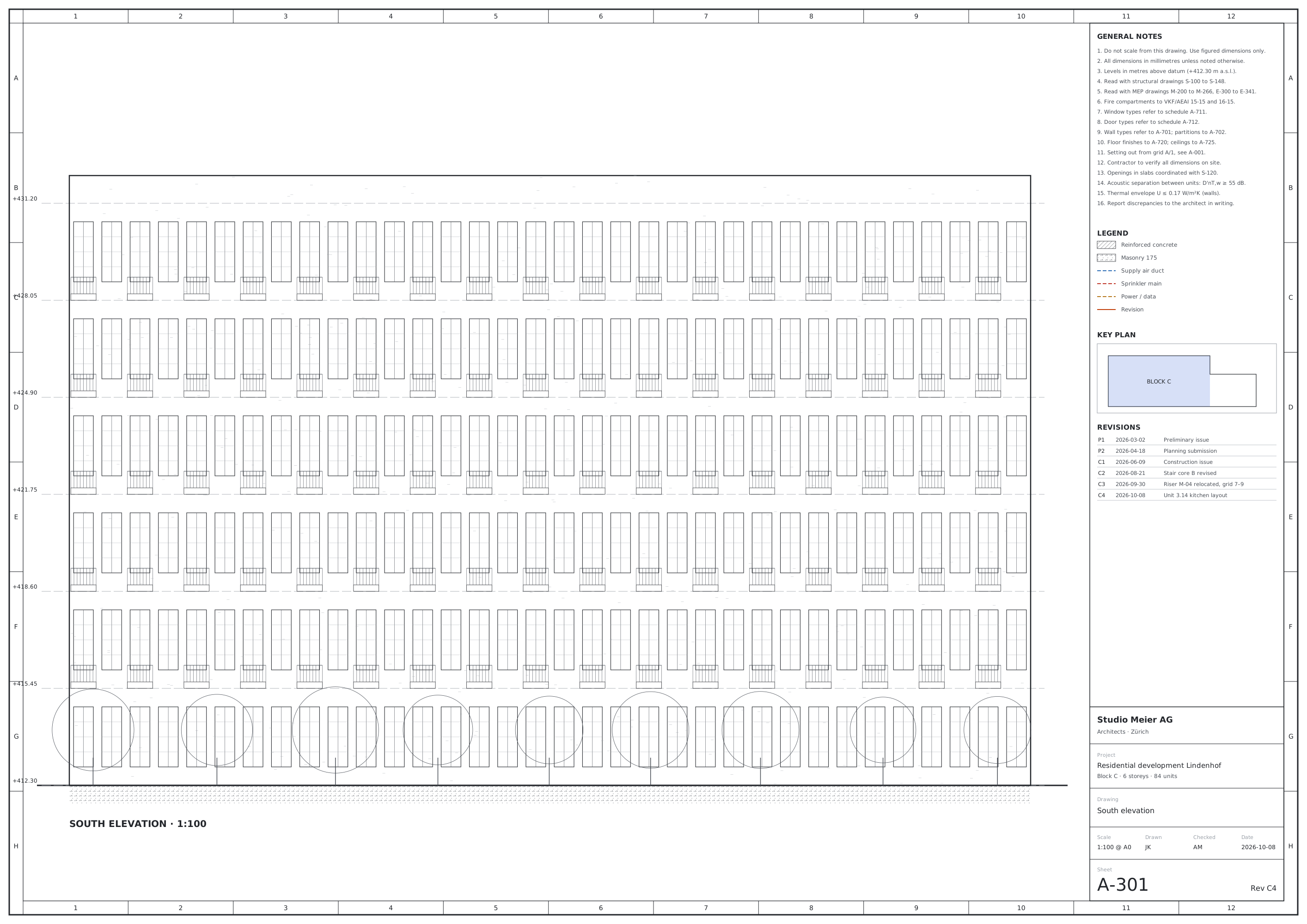
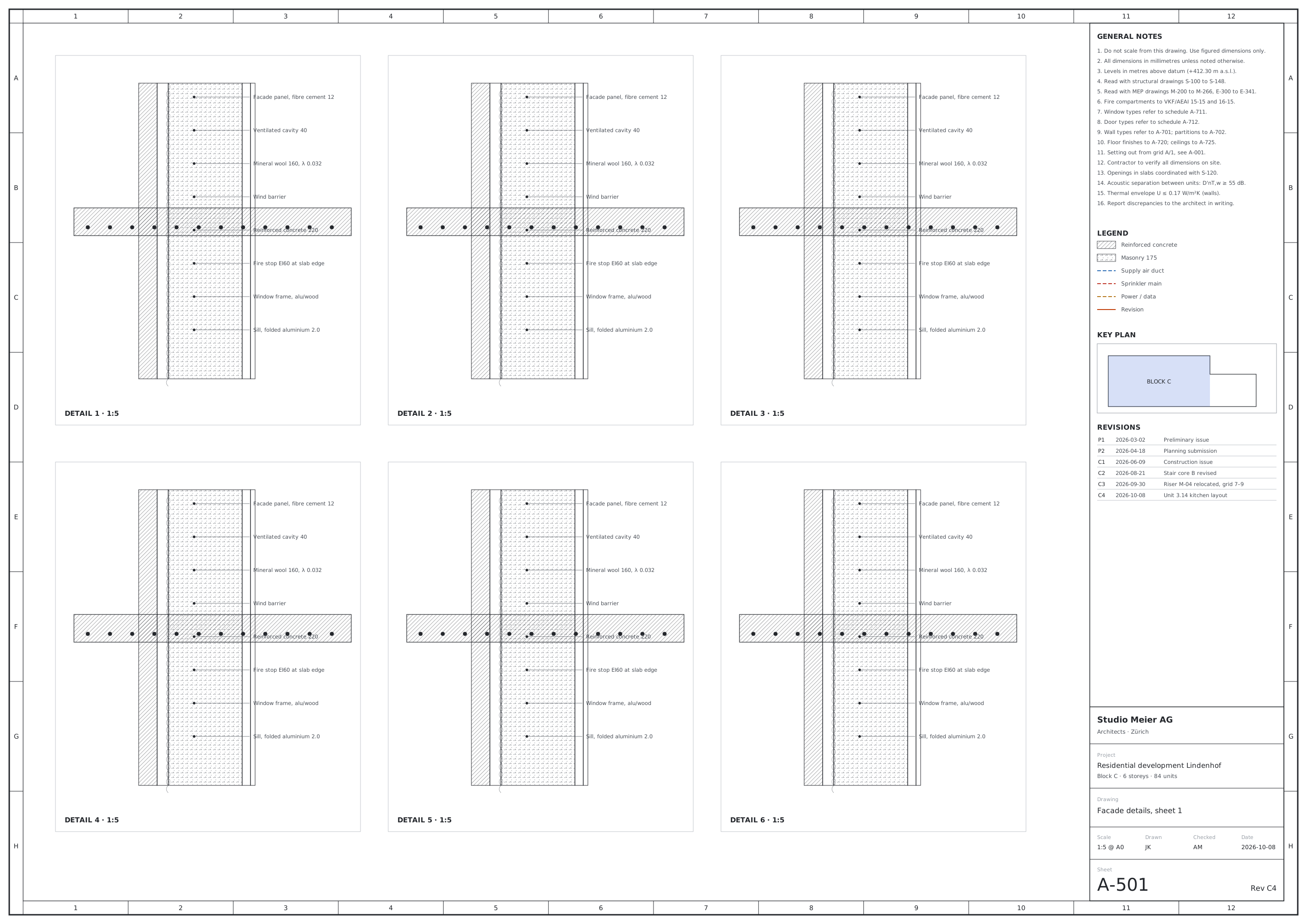
From the sample set Lindenhof Block C – Construction issue.pdf: 412 sheets · A0 · 8 layers.
03
Markup
Mark up a sheet the way you would with a red pen, and save it as standard PDF annotations that other apps read.
| Feature | What it does | Tier |
|---|---|---|
| Comments | Pin a note to the exact spot on the sheet. | Free |
| Revision clouds | Draw clouds around what changed, as on a paper issue. | Free |
| Shapes and arrows | Rectangles, ellipses, lines, arrows and polygons. | Free |
| Callouts | A text box with a leader line pointing at the detail. | Free |
| Freehand | Sketch with a mouse, trackpad or pen. | Free |
| Stamps | Mark a sheet as approved, checked or for information. | Free |
| Saved into the PDF | Markup is written into the file itself, not kept in a side file or a cloud. | Free |
04
Printing
See exactly what lands on the paper before you print, and never call a fit a scale.
≈ 1 : 390 · not to scale
| Feature | What it does | Tier |
|---|---|---|
| Print preview | A live preview of the sheet on the paper, with the printable area shown. | Free |
| With or without markup | Print a clean sheet or one with your comments and clouds. | Free |
| Layers as shown | Hidden layers stay hidden on paper, and the dialog says how many. | Free |
| Fit, actual size, tiles | Each size option shows its result before you choose it; a sheet too large for the paper can be tiled. | Free |
05
Forms and protected files
Fill in the forms that come with a project and open the files that need a password.
| Feature | What it does | Tier |
|---|---|---|
| Form filling | Type into text fields, tick boxes and choose from lists, then save. | Free |
| Password-protected files | Open a protected PDF with its password, on your computer only. | Free |
| Document properties | Title, author, page size, producer and security settings at a glance. | Free |
06 · Premium
Pages
Put a set into the order you need it, with undo until you save.
| Feature | What it does | Tier |
|---|---|---|
| Reorder pages | Drag thumbnails into a new order. | Premium |
| Rotate and delete | Turn a scanned sheet the right way up, or remove superseded ones. | Premium |
| Insert pages | Add pages from another PDF at any position. | Premium |
| Merge files | Combine several PDFs into one set. | Premium |
| Split and extract | Send only the sheets someone needs, as a new file. | Premium |
07 · Premium
Measuring
Calibrate a page once, then take distances, perimeters and areas off the drawing.
| Feature | What it does | Tier |
|---|---|---|
| Two-point calibration | Click both ends of a known dimension and type its length. | Premium |
| Drawing scale | Or enter the scale printed on the sheet, such as 1:100. | Premium |
| Per page | Each sheet keeps its own calibration, so a 1:50 plan and a 1:5 detail both measure true. | Premium |
| Distance, perimeter, area | Measure a wall, the outline of a room or its floor area. | Premium |
| Metric and imperial | Millimetres, metres, feet and inches. | Premium |
08
Privacy and offline
Your drawings stay on your computer. Nothing in the app depends on our servers.
| Feature | What it does | Tier |
|---|---|---|
| No account | Download, open a PDF, start working. Nothing to sign up for. | Free |
| No upload | Viewing, markup, page tools and measuring all happen on your computer. | Free |
| No telemetry | The app does not report what you open or how you use it. | Free |
| Works offline | On site, on a plane or behind a strict firewall. | Free |
| Offline licence | Premium activates online once, or from a licence file, and then works offline for good. | Premium |
Open your next drawing set in LessPDF
Free for every feature above without a diamond. Try Premium tools in the browser demo before you buy.
Apple Silicon Macs now, Windows 11 to follow. English and German.